Monday, 11 July 2016

ADD LIST TO WEB PAGE

<html>
<head>
<title>
 WEB DESIGNING
 </title>
 </head>

 <body bgcolor="grey">
  <center> <font color="green" size="6">ADDING UNORDERED LIST TO PAGE </font></center>
  <br>

  <ul> <font size="6">
  <li> list number 1 </li>
  <li> list number 2 </li>
  <li> list number 3 </li>  </font>
  </ul>

  <br><center><font size="6" color="green"> ADDING UNORDERED LIST IN SQUARE TYPE </font></center>
  <br>
  <ul type="square">  <font size="6">
  <li> list number 1 </li>
  <li> list number 2 </li> </font>
  </ul>

  <br><center><font size="7" color="blue"> ADDING ORDERED LIST TO PAGE </font></center>
  <br>
  <ol> <font size="6">
  <li> list number 1 </li>
  <li> list number 2 </li> </font>
  </ol>

     <br><center><font size="7" color="blue"> ADDING ORDERED LIST in user choice order </font></center>
<br>
 <ol> <font size="6">
  <li value="5"> list number 1 </li>
  <li value="10"> list number 2 </li>
  <li value="20"> list number 3 </li> </font>
  </ol>


  </body>
  </html>


CREATING TABLE TO WEBPAGE

<html>
<head>
<title>
 WEB DESIGNING
 </title>
 </head>

 <body bgcolor="black">
  <center> <font color="white" size"10" >TABLE HAS BEEN CREATED </font> </center>

  <br> <center> <table bgcolor="yellow" cellpadding="20" cellspacing="25" style="border:5 red" height="450" width="1200">
 
  <tr><td bgcolor="green" style="border:4 dotted red"  height="150" width="300" style="border:4 green"><center> Name1</center></td>
 
  <td bgcolor="red" style="border:4 dotted orange" height="150" width="300"><center>Name2</center></td></tr>
 
  <tr><td bgcolor="brown" style="border:4 dotted red" height="150" width="300"><center>Name3</center></td>
 
  <td bgcolor="pink" style="border:4 dotted blue"height="150" width="300"><center>Name4</center></td></tr>
 
  </center>
  </table>
 
 
  </body>
  </html>


ADD VIDEO TO WEBPAGE

<html>
<head>
<title>
 WEB DESIGNING
 </title>
 </head>

 <body>
  <embed src="E:\HTML pages\vid1.mp4" height="350" width="500" autoplay="false"> </embed>
 
  </body>
  </html>


ADD BACKGROUND AUDIO IN WEBPAGE

<html>
<head>
<title>
 WEB DESIGNING
 </title>
 </head>

 <body bgcolor="grey">
  <bgsound src="E:\2015\aas_paas_khuda.mp3" loop="infinte">
 
  <center>
<font size="6" color="blue" face="comic sans ms">  AUDIO IS PLAYING IN BACKGROUND REPEATEDLY </font>

 </body>
  </html>


ADD AUDIO TO WEBPAGE

<html>
<head>
<title>
 WEB DESIGNING
 </title>
 </head>

 <body>

<embed src="E:\aas_paas_khuda.mp3" height="300" width="300" autoplay="false"> </embed>
 </body>
  </html>


ADDING CLICKABLE IMAGE TO WEBPAGE

<html>
<head>
<title>
 WEB DESIGNING
 </title>
 </head>

 <body bgcolor="brown">
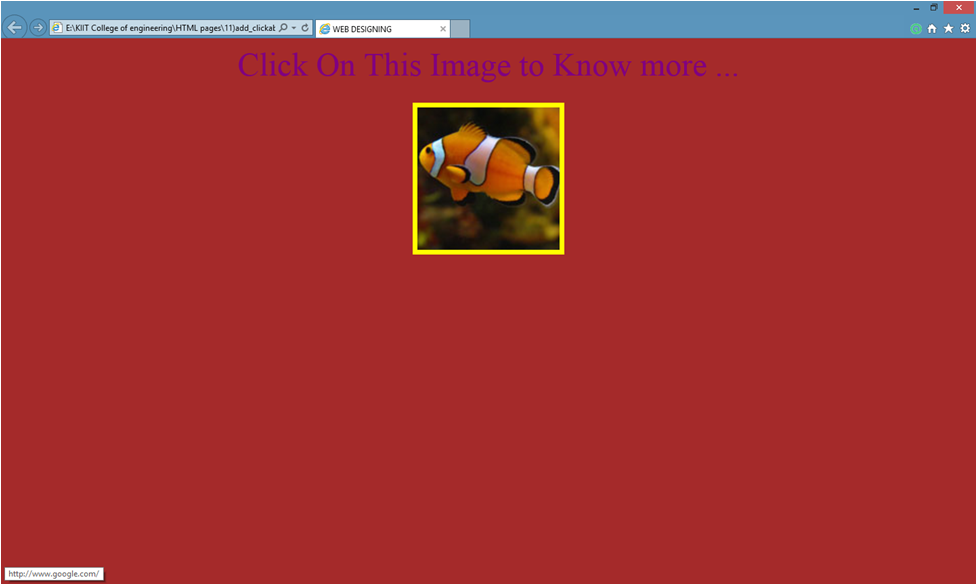
 <center> <font size="6" color="purple" face="Bradely Hand ITC"> Click On This Image to Know more ...</font> </center>

 <br>
  <a href="http://www.aboutfish.com">
  <center>
 
<img style="border:5 solid yellow" src="E:\HTML pages\fish.jpg">
  </a>

 </center>
  </body>
  </html>


ADD NAME TO SECTION OF WEBPAGE

<html>
<head>
<title>
 WEB DESIGNING
 </title>
 </head>

 <body>

 <a href="http://www.google.co.in"> GOOGLE HOMEPAGE </a>

 <br> <br> <a href="HTML pages/2)add_color_to_backgrond_&font.html#DHEERAJ"> Link To My Section Of WEBPAGE</a>
  </body>
  </html>


ADD LINK IN WEBPAGE

<html>
<head>
<title>
 WEB DESIGNING
 </title>
 </head>

 <body link="blue" alink="green" vlink="red">

<a href="HTML pages/2)add_color_to_backgrond_&font.html"> MY WEBPAGE </a>

 <br> <br> <a href="http://www.google.co.in"> GOOGLE HOMEPAGE </a>

 <br> <br> <a href="computer.html"> computer page </a>

  </body>
  </html>


ADD BORDER OVER IMAGE

<html>
<head>
<title>
 WEB DESIGNING
 </title>
 </head>
 
 <body bgcolor="black" >
 
 <font size="6" color="red" face="comic sans MS"> 
  <br>IMAGE is inserted within dotted red border in black background!!!
 
  <img style="border:5 dotted red" src="E:\comp.jpgheight="200" width="400" alt="image">

 </font>

 <br>
 <font size="6" color="yellow" face="comic sans MS"> 
 <br>IMAGE is inserted yellow border in black background!!!
<img style="border:5 solid yellow" src="E:\HTML pages\com.jpg"height="200" width="400" alt="image">


</font>

  </body>
  </html>


Wednesday, 2 December 2015

Adding font over image

<html>
<head>
<title>
 WEB DESIGNING
 </title>
 </head>

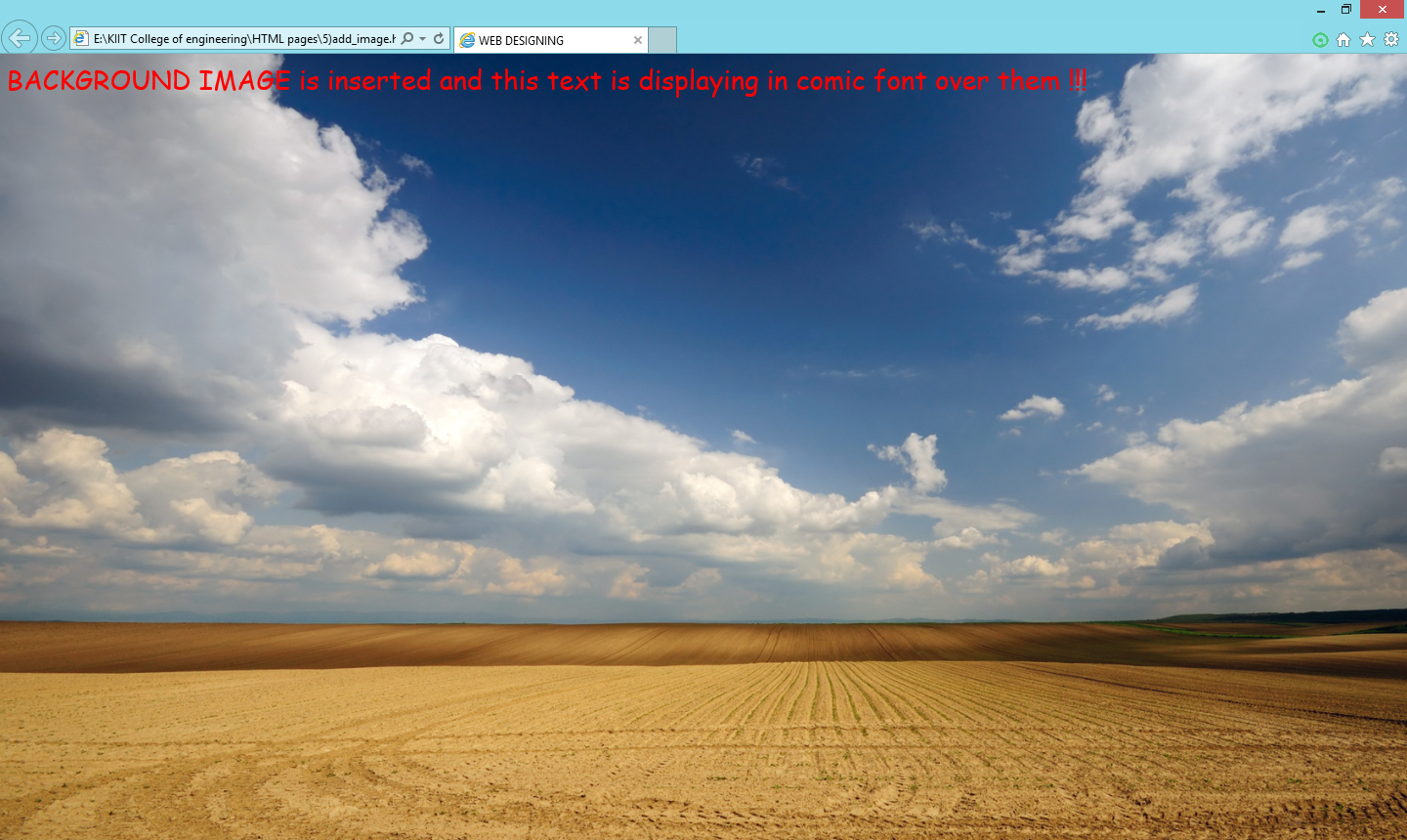
 <body background="C:\Users\html\wllpr.jpg">

<font size="6" color="red" face="comic sans MS">

BACKGROUNG IMAGE is inserted and this text is displaying in comic font over them !!!
  </font

 </body>
  </html>


 OUTPUT


Sunday, 15 November 2015

CREATING HEADINGS IN HTML

<html>
<head>
<title>
 WEB DESIGNING
 </title>
 </head>

 <body>
 
  <h1> <font size="red" size="10"> this is first heading </font> </h1>
 
  <h2> <font size="pink" size="10"> this is second heading </font> </h2>

  <h3> <font size="green" size="10"> this is third heading </font> </h3>

  <h4> <font size="brown" size="10"> this is 4th heading </font> </h4>

  <h5> <font size="grey" size="10"> this is 5th heading </font> </h5>

  <h6> <font size="black" size="10"> this is 6th first heading </font> </h6>

  <p> <font color="red" size="4"> THIS IS PARAGRAPH...... HTML is hyper text markup language. It is used to create webpages</font>
 </p>
 
  </body>
  </html>

RESULT

ADDING EFFECTS TO FONTS IN HTML

<html>
<head>
<title>
 WEB DESIGNING
 </title>
 </head>

 <body>

  <font size="10"> HELLO WORLD !! </font>

  <font size="6" color="pink"> <br> <b>this line is displayed in bold look </b> </font>

  <font size="14" color="green"> <br> <i>this line is diplayed in italic look </i> </font>

  <font size="12" color="blue"> <br> <u>this line is diplayed in underlined look </u> </font>

  <font size="6" color="gray"> <br> <b> <i> <u> this line is displayed in bold,italic with underlined </u> </i> </b> </font>

   </body>
  </html>


RESULT


Friday, 17 April 2015

ADDING COLOR TO FONT IN HTML-


<html>

<head>
<title>Web Designing</title>
</head>

<body bgcolor="black">

<font face="Times New Roman" color="RED" size="5">

THIS TEXT IS in "TIMES NEW ROMAN "font and in red color with font size=5 

</font>
</body>
</html>
                 

                                                              RESULT


Creating Title in HTML -


<html>

<head>

<title> CREATING TITLE </title>

</head>


<body>
</body>
</html>

                                       
                                                                      RESULT


ADDING BACKGROUND COLOR IN HTML PAGE-


<html>

<head>
<title> CREATING BACKGROUND COLOR
</head>

<body bgcolor="yellow">

yellow colour is added in background
                           

</body>
</html>


                                                            RESULT


CREATING BODY IN HTML-


<html>

<head>
<title> creating body </title>
</head>

<body>
                            BODY IS CREATED

</body>
</html>
                           
                                                                          RESULT