Monday, 11 July 2016

ADD BACKGROUND AUDIO IN WEBPAGE

<html>
<head>
<title>
 WEB DESIGNING
 </title>
 </head>

 <body bgcolor="grey">
  <bgsound src="E:\2015\aas_paas_khuda.mp3" loop="infinte">
 
  <center>
<font size="6" color="blue" face="comic sans ms">  AUDIO IS PLAYING IN BACKGROUND REPEATEDLY </font>

 </body>
  </html>


ADD AUDIO TO WEBPAGE

<html>
<head>
<title>
 WEB DESIGNING
 </title>
 </head>

 <body>

<embed src="E:\aas_paas_khuda.mp3" height="300" width="300" autoplay="false"> </embed>
 </body>
  </html>


ADDING CLICKABLE IMAGE TO WEBPAGE

<html>
<head>
<title>
 WEB DESIGNING
 </title>
 </head>

 <body bgcolor="brown">
 <center> <font size="6" color="purple" face="Bradely Hand ITC"> Click On This Image to Know more ...</font> </center>

 <br>
  <a href="http://www.aboutfish.com">
  <center>
 
<img style="border:5 solid yellow" src="E:\HTML pages\fish.jpg">
  </a>

 </center>
  </body>
  </html>


ADD NAME TO SECTION OF WEBPAGE

<html>
<head>
<title>
 WEB DESIGNING
 </title>
 </head>

 <body>

 <a href="http://www.google.co.in"> GOOGLE HOMEPAGE </a>

 <br> <br> <a href="HTML pages/2)add_color_to_backgrond_&font.html#DHEERAJ"> Link To My Section Of WEBPAGE</a>
  </body>
  </html>


ADD LINK IN WEBPAGE

<html>
<head>
<title>
 WEB DESIGNING
 </title>
 </head>

 <body link="blue" alink="green" vlink="red">

<a href="HTML pages/2)add_color_to_backgrond_&font.html"> MY WEBPAGE </a>

 <br> <br> <a href="http://www.google.co.in"> GOOGLE HOMEPAGE </a>

 <br> <br> <a href="computer.html"> computer page </a>

  </body>
  </html>


ADD BORDER OVER IMAGE

<html>
<head>
<title>
 WEB DESIGNING
 </title>
 </head>
 
 <body bgcolor="black" >
 
 <font size="6" color="red" face="comic sans MS"> 
  <br>IMAGE is inserted within dotted red border in black background!!!
 
  <img style="border:5 dotted red" src="E:\comp.jpgheight="200" width="400" alt="image">

 </font>

 <br>
 <font size="6" color="yellow" face="comic sans MS"> 
 <br>IMAGE is inserted yellow border in black background!!!
<img style="border:5 solid yellow" src="E:\HTML pages\com.jpg"height="200" width="400" alt="image">


</font>

  </body>
  </html>


Wednesday, 2 December 2015

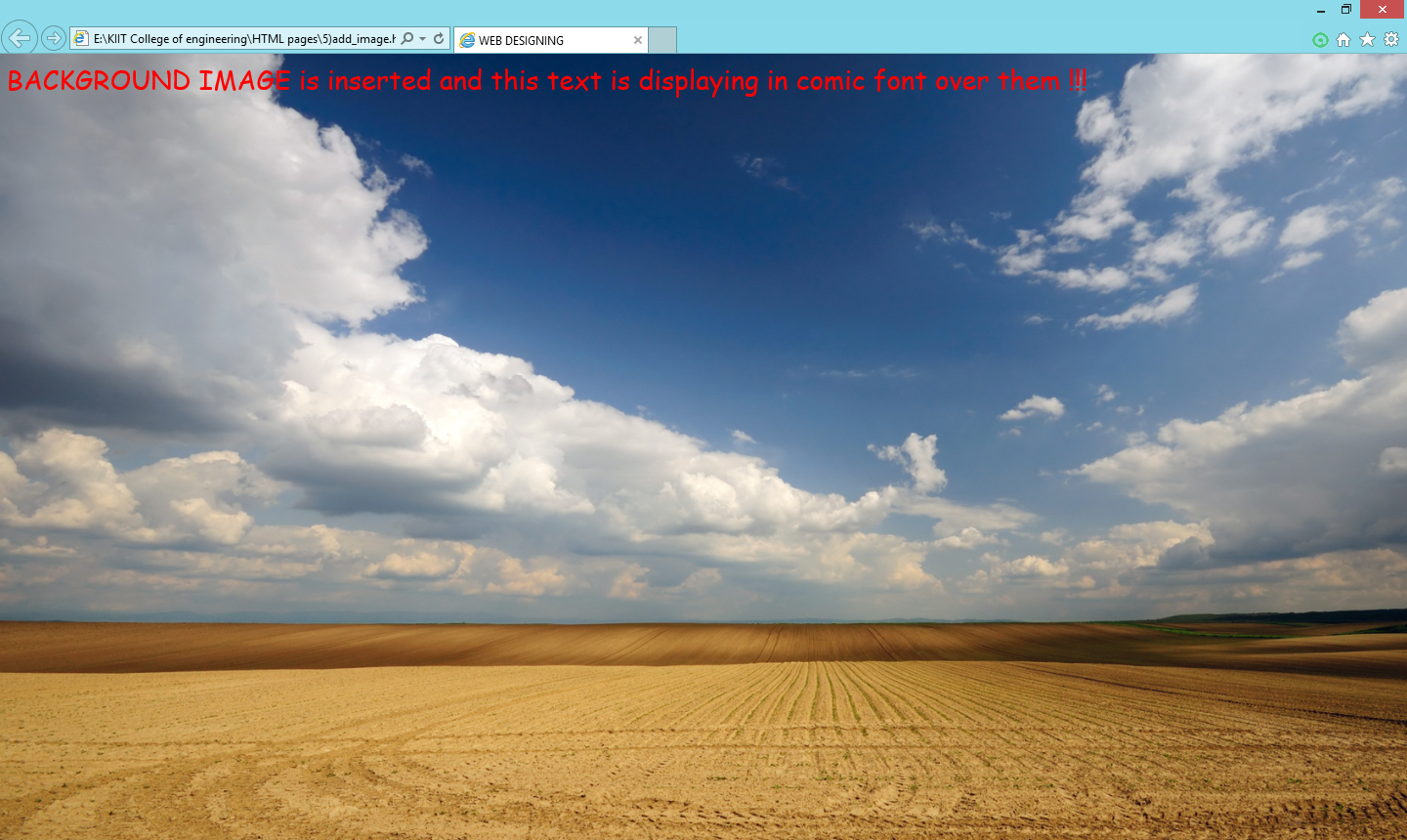
Adding font over image

<html>
<head>
<title>
 WEB DESIGNING
 </title>
 </head>

 <body background="C:\Users\html\wllpr.jpg">

<font size="6" color="red" face="comic sans MS">

BACKGROUNG IMAGE is inserted and this text is displaying in comic font over them !!!
  </font

 </body>
  </html>


 OUTPUT